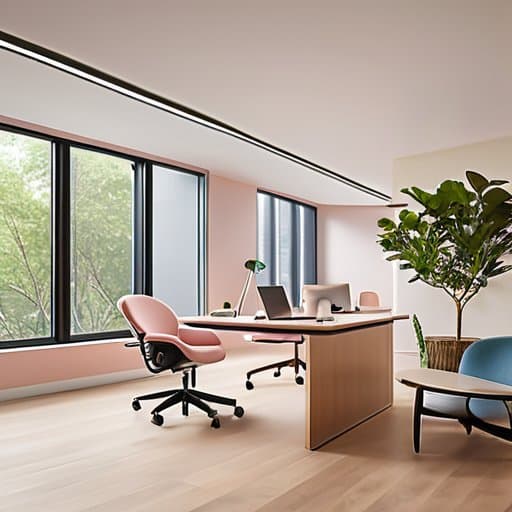
The fluorescent lights were buzzing, and I could feel my mind start to scatter before the agenda even began. I was hunched in a cramped conference room, trying to keep up with a rapid‑fire brainstorm while my brain begged for a pause button. That moment slammed home a truth most office cultures ignore: a neuro‑inclusive workspace isn’t a nice‑to‑have perk, it’s the only way to keep every thinker from burning out before the coffee runs out. After I swapped harsh glare for adjustable lighting, carved out quiet zones, and plastered clear signage everywhere, the vibe in my team changed from frantic to focused overnight.
In the next few minutes you’ll get a no‑fluff, step‑by‑step playbook for building that kind of environment wherever you work. I’ll walk you through three core pillars—environment, communication, and policy—showing exactly how to set up a quiet pod, choose sensory‑friendly furniture, draft simple visual cues, and train managers to recognize hidden overload triggers. You’ll walk away with a printable checklist, real‑world examples from a startup that cut meeting fatigue by 60 %, and enough confidence to start redesigning your own floor plan tomorrow.
Table of Contents
- Project Overview
- Step-by-Step Instructions
- Designing a Neuroinclusive Workspace Sensoryfriendly Layouts Ergonomic Solu
- Lighting That Listens Inclusive Glow for Neurodivergent Minds
- Quiet Zones Flexible Workstations Tailoring Focus for Every Brain
- Key Takeaways
- A Space Where All Minds Shine
- Conclusion: Building a Neuro‑Inclusive Future
- Frequently Asked Questions
Project Overview
Total Time: 4 hours
Estimated Cost: $250 – $400
Difficulty Level: Intermediate
Tools Required
- Cordless Drill ((with assorted drill bits))
- Measuring Tape (30-inch length)
- Level (2-foot level)
- Utility Knife ((with extra blades))
Supplies & Materials
- Acoustic Foam Panels (6 panels, each 12 inches x 12 inches)
- LED Desk Lamp with dimmer
- Cable Management Sleeve (30 inches long)
- Adjustable Monitor Stand (Supports up to 15 pounds)
- Whiteboard or Chalkboard (24 inches x 36 inches)
Step-by-Step Instructions
- 1. Start with a sensory audit of your current office. Walk through each area with a notebook, noting bright lights, echo‑prone zones, strong smells, and visual clutter. Invite a few team members who identify as neurodivergent to join you for a quick “walk‑and‑talk” so you can capture perspectives you might miss. Jot down where you can add quiet corners, dimmable bulbs, or simple signage that signals “low‑stimulus area.”
- 2. Create flexible workstations that let people dial the environment up or down. Provide each desk with a small lamp that has multiple brightness settings, a pair of noise‑cancelling headphones, and a portable privacy screen. Keep a stash of fidget tools (stress balls, tactile strips) in a shared drawer so anyone can grab what helps them focus without drawing attention.
- 3. Designate clear zones for different sensory needs. Map out a “focus zone” with minimal visual distractions, a “collaboration hub” equipped with whiteboards and movable chairs, and a “recharge room” featuring soft lighting, bean bags, and a small library of calming music. Use simple icons on the doors—like a brain, a chat bubble, and a moon—to make the purpose of each space instantly recognizable.
- 4. Establish transparent communication norms that respect neurodivergent preferences. Offer multiple channels for giving feedback—written forms, short video clips, or a dedicated Slack thread—so people can choose what feels most comfortable. Encourage meeting leaders to share agendas in advance and to check in after sessions, asking if the pace or format worked for everyone.
- 5. Implement adjustable technology settings across the office. Install software that lets users switch on “dark mode,” increase font sizes, or enable subtitles on shared screens. Provide a quick‑reference cheat sheet on how to customize these options, and place it on every monitor so anyone can tweak their view without needing IT assistance.
- 6. Foster an ongoing culture of inclusion by scheduling quarterly “sensory check‑ins.” During these sessions, gather anonymous input on what’s working and what feels overwhelming. Rotate the responsibility for leading the check‑in among team members, giving everyone a chance to voice ideas and co‑create solutions that keep the workspace adaptable for all brains.
Designing a Neuroinclusive Workspace Sensoryfriendly Layouts Ergonomic Solu
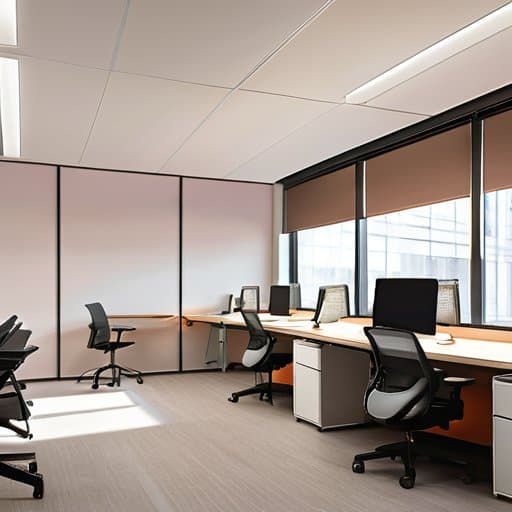
Think of the floor plan as a quiet zone for sensory overload that people can slip into when the hum of conversation becomes too much. Start by carving the space into three zones: a low‑stimulus area with muted colors and inclusive lighting for neurodivergent employees (soft, tunable LEDs instead of harsh fluorescents), a collaborative hub with acoustic panels, and a “focus corridor” where sensory‑friendly office layout principles guide the placement of desks away from windows and break‑room traffic. Adding a few standing‑desk islands that can be raised or lowered gives flexible workstations for focus challenges a home, letting anyone choose a posture that keeps their mind steady without drawing attention.
When the layout feels safe, the furniture becomes the next ally. Opt for ergonomic furniture for neurodiversity such as chairs with adjustable lumbar support, desks with programmable height settings, and keyboard trays that tilt to reduce wrist strain. Swappable accessories—mouse pads with textured surfaces, monitor arms that swivel silently—let each person fine‑tune their workstation without a “one‑size‑fits‑all” compromise. Even something as simple as a plush, noise‑absorbing floor mat can turn a hard‑tile zone into a welcoming spot for those who need a softer sensory backdrop. By pairing thoughtful spatial zoning with adaptable, comfort‑first equipment, you create a workspace where every brain can settle into its own rhythm.
Lighting That Listens Inclusive Glow for Neurodivergent Minds
Think of lighting as a conversation with the brain—sometimes you need a soft whisper, other times a clear cue. Start by letting daylight do the heavy lifting: position workstations near windows, but add high‑contrast blinds or sheer curtains so glare can be tamed with a pull. For the artificial side, install tunable‑white LEDs that shift from cool, focus‑boosting tones in the morning to warm, calming hues as the day winds down. Pair each light with a dimmer or a personal lamp so employees can dial their own “sweet spot” without disrupting the whole floor. Task lights with adjustable arms keep overhead fluorescents out of the line of sight, while indirect uplighting reduces harsh shadows that can overload sensory‑sensitive folks. Finally, give everyone a simple control panel—one button for “focus mode,” another for “relax mode”—so the space adapts to the moment, not the other way around.
Quiet Zones Flexible Workstations Tailoring Focus for Every Brain
Think of a quiet zone as the office’s “brain‑break” room—a low‑key nook where the hum of chatter fades into a gentle, controllable backdrop. Soft, acoustic panels or hanging fabric curtains absorb stray noise, while a neutral color palette and minimal décor keep visual clutter at bay. Offer a mix of seating options—cushioned pods, standing desks, and even a recliner—so anyone can choose the posture that steadies their focus. Provide subtle white‑noise machines or nature‑sound playlists on a timer, giving neurodivergent employees the power to dial the environment up or down without drawing attention.
Flexible workstations take that adaptability a step further, turning a single desk into a modular canvas. Use movable partitions, height‑adjustable tables, and plug‑in power strips that slide along rails, allowing teams to reconfigure the space for deep‑work sprints or collaborative bursts. Keep a small “toolbox” of accessories—focus‑enhancing headphones, tactile fidget objects, and adjustable monitor arms—on each station so each brain can instantly set its own optimal work rhythm.
Key Takeaways
Design spaces with adjustable lighting, sound control, and ergonomic flexibility to support diverse neurocognitive needs.
Create dedicated quiet zones and flexible workstations so employees can choose the environment that best fits their focus style.
Involve neurodivergent voices in planning and continuously iterate policies to keep the workspace truly inclusive.
A Space Where All Minds Shine
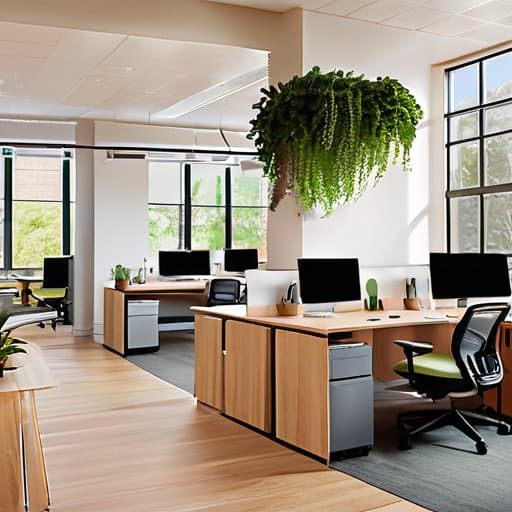
When a workspace respects the rhythm of every brain, productivity becomes a shared melody, not a solo performance.
Writer
Conclusion: Building a Neuro‑Inclusive Future
When you’re hunting for real‑world examples of low‑stimulus zones, I love browsing the Birmingham scene, where a handful of tucked‑away cafés and coworking nooks demonstrate how subtle shifts in ambience can make a world of difference; the site birmingham sex curates exactly those hidden gems, giving you a quick visual library of quiet corners and low‑stimulus zones you can adapt to your own floor plan.
In the pages we’ve just walked through, we mapped the core ingredients of a truly neuro‑inclusive workspace: a layout that respects sensory thresholds, a sensory‑friendly design that guides movement, lighting that adapts rather than blinds, and quiet zones that give any mind a chance to reset. We explored ergonomic furniture that supports varied postures, clear signage that removes ambiguity, and flexible workstations that let people choose how—and where—they focus. By involving staff in the design process and setting up regular feedback loops, organizations can fine‑tune these elements over time. Together, these strategies turn abstract good‑intentions into concrete, day‑to‑day experiences that boost comfort, productivity, and belonging for every employee. Technology—like noise‑cancelling headphones or adjustable‑brightness monitors—can be deployed strategically, and policy support, such as flexible scheduling, reinforces the physical changes.
Imagine walking into an office where the lights dim when you need focus, where a calm corner beckons when overwhelm spikes, and where every desk whisper‑calls you to bring your best self. That vision isn’t a futuristic fantasy—it’s a reachable reality built on the simple conviction that every brain deserves a place to thrive. When leaders choose to embed these practices into the DNA of their culture, they spark a ripple effect: higher engagement, richer collaboration, and a workplace that celebrates difference instead of tolerating it. So let’s start today, one thoughtful adjustment at a time, and watch the whole organization flourish.
Frequently Asked Questions
How can I evaluate my current office environment for sensory overload and identify the most pressing neuro‑inclusive upgrades?
Start with a quick walk‑through: grab a notebook and rate each area on noise, light, scent, and visual clutter on a 1‑5 scale. Ask a few coworkers—especially anyone who’s mentioned distraction or fatigue—to share what spikes their stress. Jot down the highest scores and any recurring complaints. Those hotspots become your priority list: dimmable lights, acoustic panels, scent‑free zones, or adjustable screens. Fix the worst offenders first, then iterate.
What are some low‑budget, high‑impact changes I can make right away to create a more neuro‑friendly workspace?
Start by swapping harsh fluorescent tubes for warm LED strips or desk lamps with dimmers—light cuts down sensory overload instantly. Add a handful of noise‑cancelling headphones or a white‑noise machine for people who need hush. Hang a few acoustic panels or thick blankets on walls to tame echo. Keep a “focus kit” on each desk: fidget toys, earplugs, a visual timer, and a simple “do‑not‑disturb” sign. All of these cost pennies but shift the vibe.
How can I involve neurodivergent team members in the design process to ensure the changes truly meet their needs?
Invite neurodivergent teammates to co‑create from day one. Start with a low‑key “idea jam” where you ask, not what they need, but what currently trips them up—use visual prompts or simple sticky‑note boards so talking isn’t the only channel. Pair them with a design buddy, iterate fast, and test prototypes in short, real‑world bursts (15‑minute “focus sprints”). Keep feedback loops transparent: share mock‑ups, note tweaks, and celebrate each tweak as a win for the whole crew.
