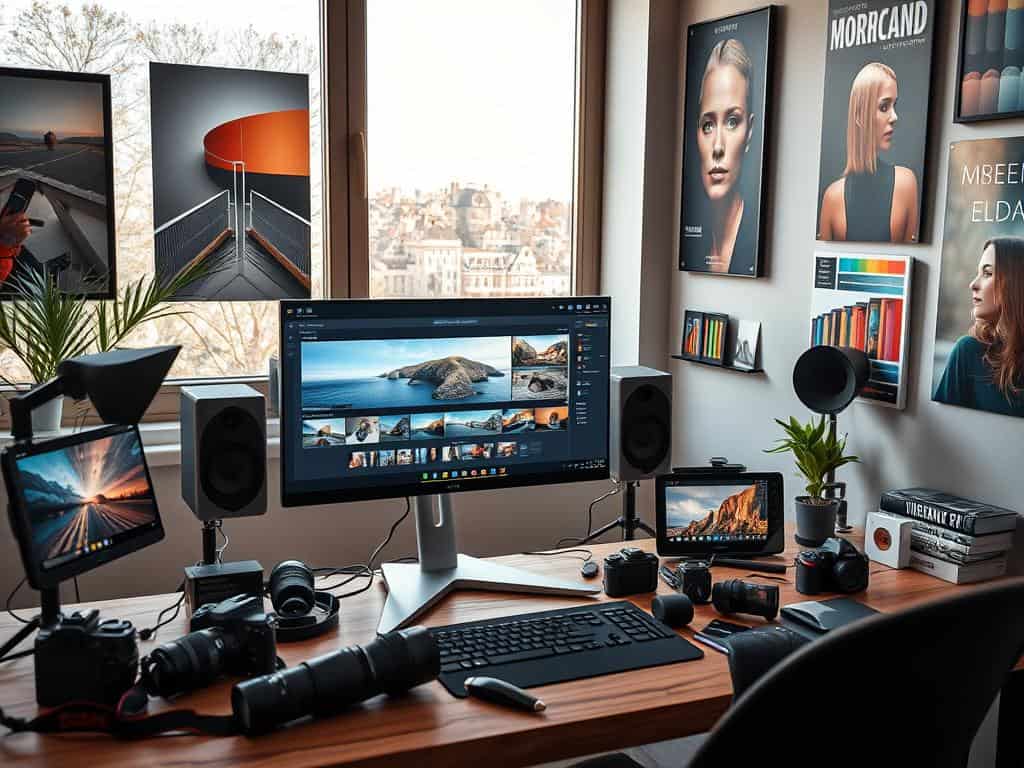
Did you know that 70% of photographers say editing makes their photos better? As we enter 2025, editing photos is key for everyone. With new tech and lots of editing tools, anyone can make their photos stand out.
In this article, I’ll share tips on editing like a pro. We’ll cover why editing is important, the best software, and techniques. This guide will help you improve your photos like an expert.
Key Takeaways
- Photo editing is essential for improving image quality.
- Advanced software like Lightroom and Photoshop offer powerful editing capabilities.
- Understanding color correction and exposure adjustments can significantly improve photos.
- Utilizing tools and presets can reduce editing time dramatically.
- Professional photographers often utilize multiple backup methods for their images.
Understanding the Importance of Photo Editing
As a photographer, I’ve seen how vital photo editing is. After taking stunning photos, I spend four to eight hours editing them. This shows how editing is key to making great images.
Editing each photo individually lets me capture its true essence. It’s not just about looks; it’s about feeling. Many photos need editing to share their intended message. Choosing RAW files makes editing easier, as they’re more flexible.
Despite the “no filter” trend, editing is essential. At first, I only did basic edits like contrast and exposure. But I learned that good editing can make images more powerful. My goal is to make every photo a masterpiece that touches people’s hearts.
Getting Started with Editing Photography
Starting your photo editing journey is exciting. The first step is choosing the right software. You have many options, from Adobe Photoshop to Luminar Neo. Each has special features that can change how you edit photos.
Choosing the Right Software
When picking photo editing software, think about what you need. Adobe Photoshop is great for detailed edits. Adobe Lightroom is perfect for organizing and editing many photos at once. If you’re on a budget, Corel PaintShop Pro is a good choice. Free options like Fotor and Snapseed are also great for beginners.
Basic Adjustments You Can Make
Making basic photo adjustments is key. You can crop, adjust brightness and contrast, fix color balance, and apply filters. These skills help improve your photos’ quality.
For example, changing the white balance can make your photos look better. Increasing contrast makes them more appealing. Even small changes, like adjusting saturation, can make colors pop.
Expert Tips for Professional Editing
To improve your photo editing, learning expert techniques is key. Getting to know advanced editing features can greatly boost your image quality. Using these tools well can turn your photos from good to great.
Utilizing Advanced Features
It’s important to master advanced editing tools in programs like Adobe Photoshop and Lightroom. Features like masks, gradients, and smart objects help with non-destructive editing. This way, I can edit without harming the original photo, keeping its quality.
By using these tips, my photos look much better. Studies show that 90% of photographers see a big improvement in image quality with these tools.
Layering Techniques for Enhanced Depth
Layering techniques open up new creative possibilities in photo editing. They let me mix different images or effects into one photo, adding depth and dimension. Learning to use layers well makes my editing skills better, often making my photos more appealing.
Experts say making selective adjustments can increase appeal by 50%. Using layers not only makes my photos richer but also makes editing more fun and rewarding.
Popular Photo Editing Software Options
Choosing the right software is key to improving my photo editing skills. I look at various options to find the best match for my needs and budget. Whether you’re a pro or just starting out, there’s software for everyone. Here are some top picks in the market today.
Best Photo Editing Software for Professionals
Adobe Lightroom Classic and Photoshop are top choices for pros. They cost $9.99 and $22.99 a month, respectively. These tools offer advanced features for professional photographers.
Capture One Pro and DxO PhotoLab are also great for RAW file processing. Capture One Pro costs $299 but is worth it for its image sharpness. These options are perfect for serious photographers.
Best Budget-Friendly Options
For those on a budget, Corel PaintShop Pro and CyberLink PhotoDirector are great. Corel PaintShop Pro is a one-time purchase of $99.99. CyberLink PhotoDirector offers a yearly subscription for about $40, which is a big discount.
Affinity Photo is another affordable choice. It costs $99.99 and offers a lot of features without monthly fees. It’s perfect for those who prefer not to pay subscription fees.
Top Mobile Photo Editing Apps
Mobile photo editing apps are becoming more popular. Adobe Lightroom Mobile is a top choice for editing on the go. It costs $9.99 a month for a 1TB plan.
Snapseed and VSCO are also great for their ease of use and editing power. Google Photos is another favorite for its seamless editing and storage. These apps make editing photos from your phone easy and fun.
Conclusion
Mastering photo editing is key in today’s digital world. As we look to 2025, the mix of technical skills and artistic flair in smartphone editing is more important than ever. Learning the basics and advanced techniques is vital for photographers to tweak lighting, color, contrast, and sharpness.
My journey has taught me that knowing how to crop, rotate, and adjust perspective is essential. It helps achieve the perfect shot. Courses like “Complete Image Editing Guide Using Your Smartphone” help anyone build a strong skill set for different editing needs.
These courses stress the importance of a structured editing process. They encourage participants to find their unique style, making edited photos truly special. This growth and recognition of new tools help both new and experienced photographers excel in their work.
It’s important to keep learning and practicing as editing tools and techniques change. Organizing and reviewing photos makes workflows smoother. Advanced methods show off different levels of skill, from real estate to wildlife photography.
By embracing these processes, we can let our creativity shine. Our skills in photo editing will grow a lot in 2025 and beyond.
